Conversation History
Conversation History
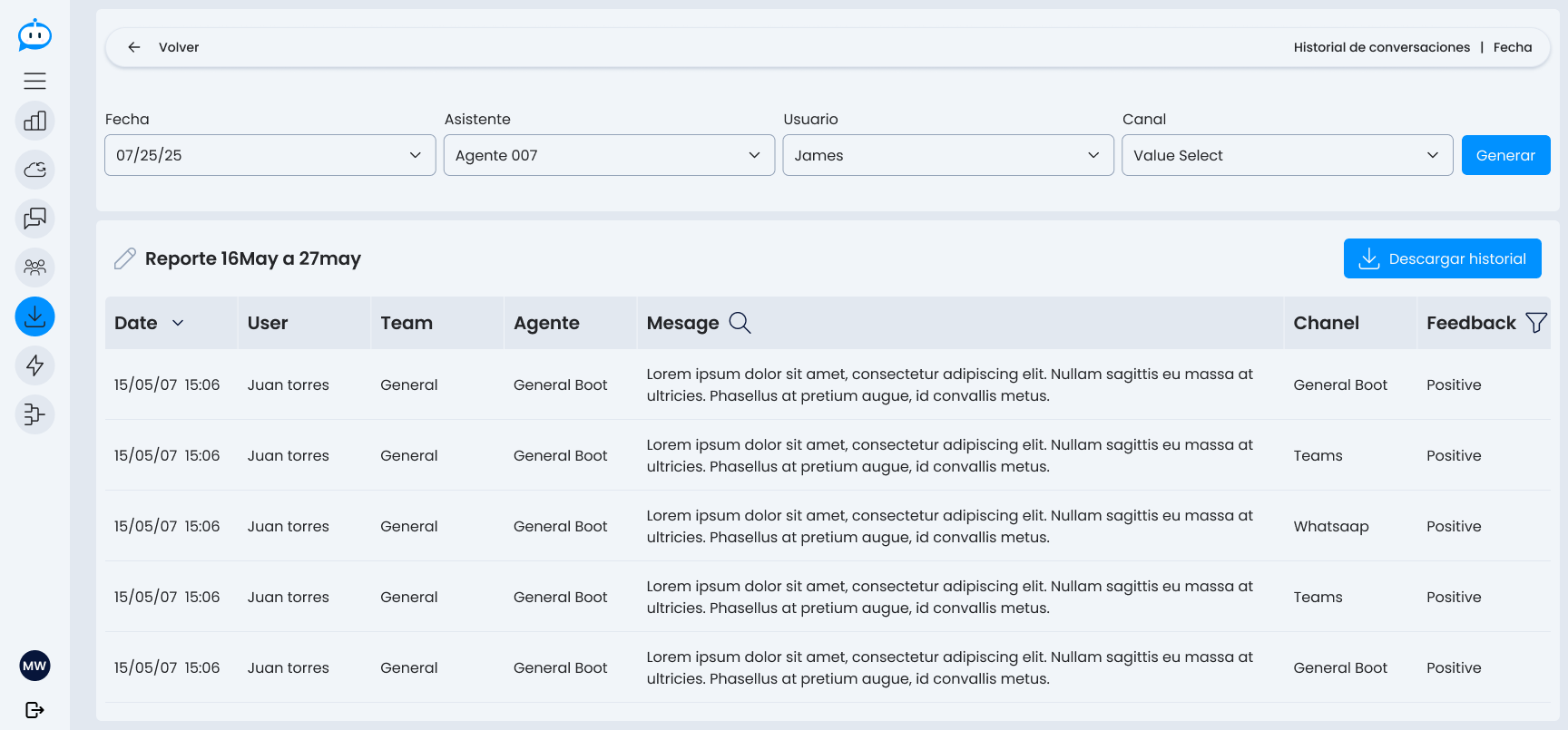
The Conversation History section allows you to view and filter messages exchanged between users and assistants within a specific period. It is useful for auditing interactions, reviewing automated responses, or tracking quality and feedback.
Available Filters
Before generating the history, you can refine your search using the following filters:
- Date: allows you to select a specific day, a date range, or one or several months to review.
- Assistant: the conversational agent used.
- User: name of the user who initiated the conversation.
- Channel: platform where the conversation occurred (e.g., Teams, WhatsApp, Web, etc.).
Click on "Generate" to get the result.
Generated Report View
Once the history is generated, a table with the following data is displayed:
| Field | Description |
|---|---|
| Date | Date and time of the message. |
| User | User who sent the message. |
| Team | Team the user belongs to. |
| Agent | Name of the agent who responded. |
| Message | Content of the message sent or received. |
| Channel | Channel through which the conversation originated. |
| Feedback | User's rating of the response (if applicable). |
Additionally, it is possible to:
- Search for specific messages by text in the Message column.
- Filter by Feedback type.
- Download the complete history in a compatible format.
Download History
To keep a copy or share the generated history, you can use the "Download History" button, which exports the displayed information with all applied filters.