Team
Team

In the Teams section, you can centrally manage all work groups created within the Daiana platform. This view allows you to have total control over the organization, users, and assistants assigned to each team.
🔍 Available Features
Within this page, you can perform the following actions:
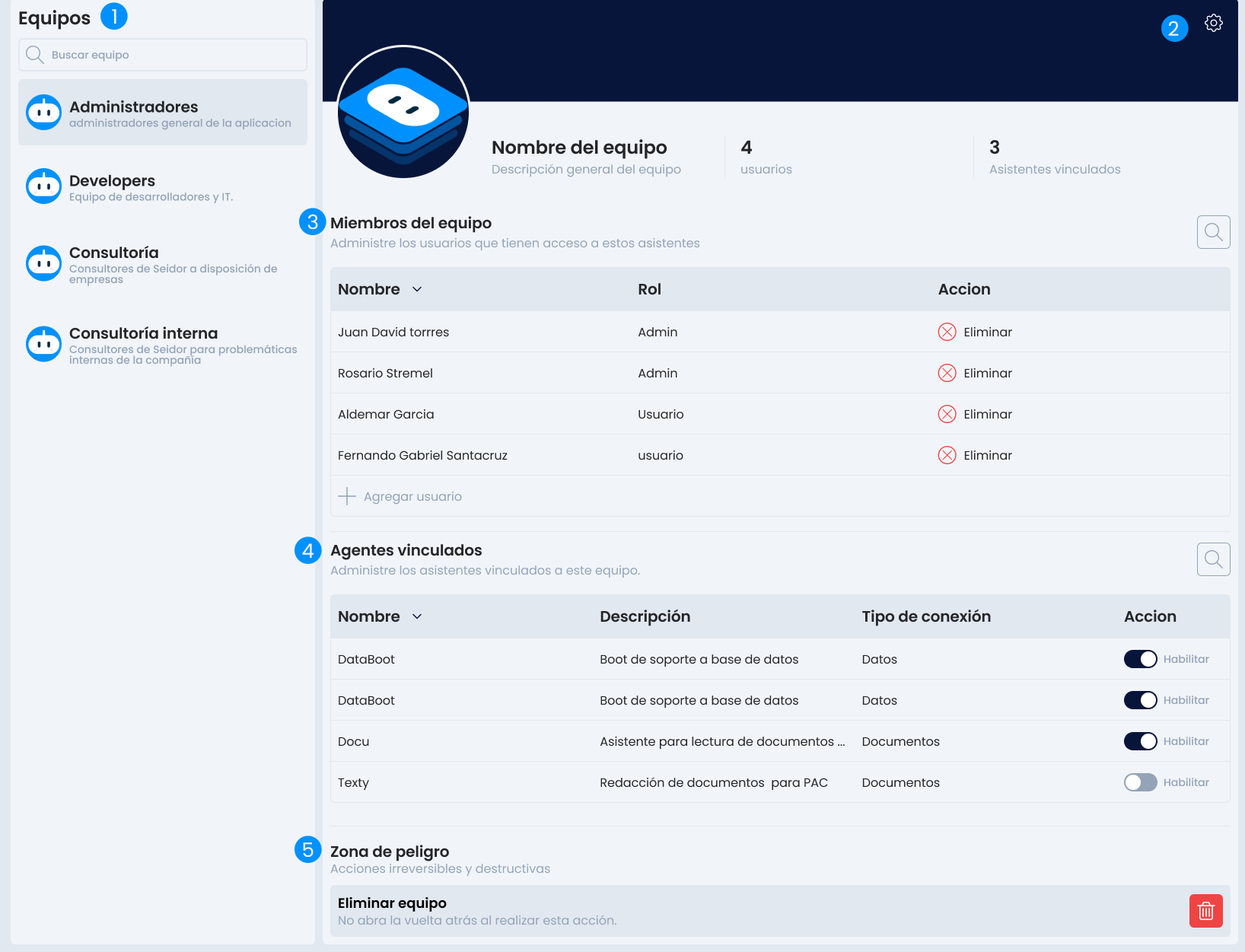
- View existing teams: Access the list of all teams created in the organization.
- Edit teams: Modify the name, description, or other relevant team information.
- Add or remove users: Manage the members that are part of each team.
- View linked agents: Consult the assistants associated with each team.
- Agent name and description: View all names with the description assigned by the creator.
- Data type: Identifies what types of knowledge sources this agent has, whether they are local files, cloud connection, or databases.
- Enable or disable agents: Activate or deactivate agents according to the team's needs.
- Danger Zone: In this area, you will find all irreversible and destructive actions.
- Delete teams: Remove the teams you require; keep in mind that this action is irreversible.
info
This section is key to ensuring proper organization of platform usage, securing appropriate access, and maintaining control over assistant activity.